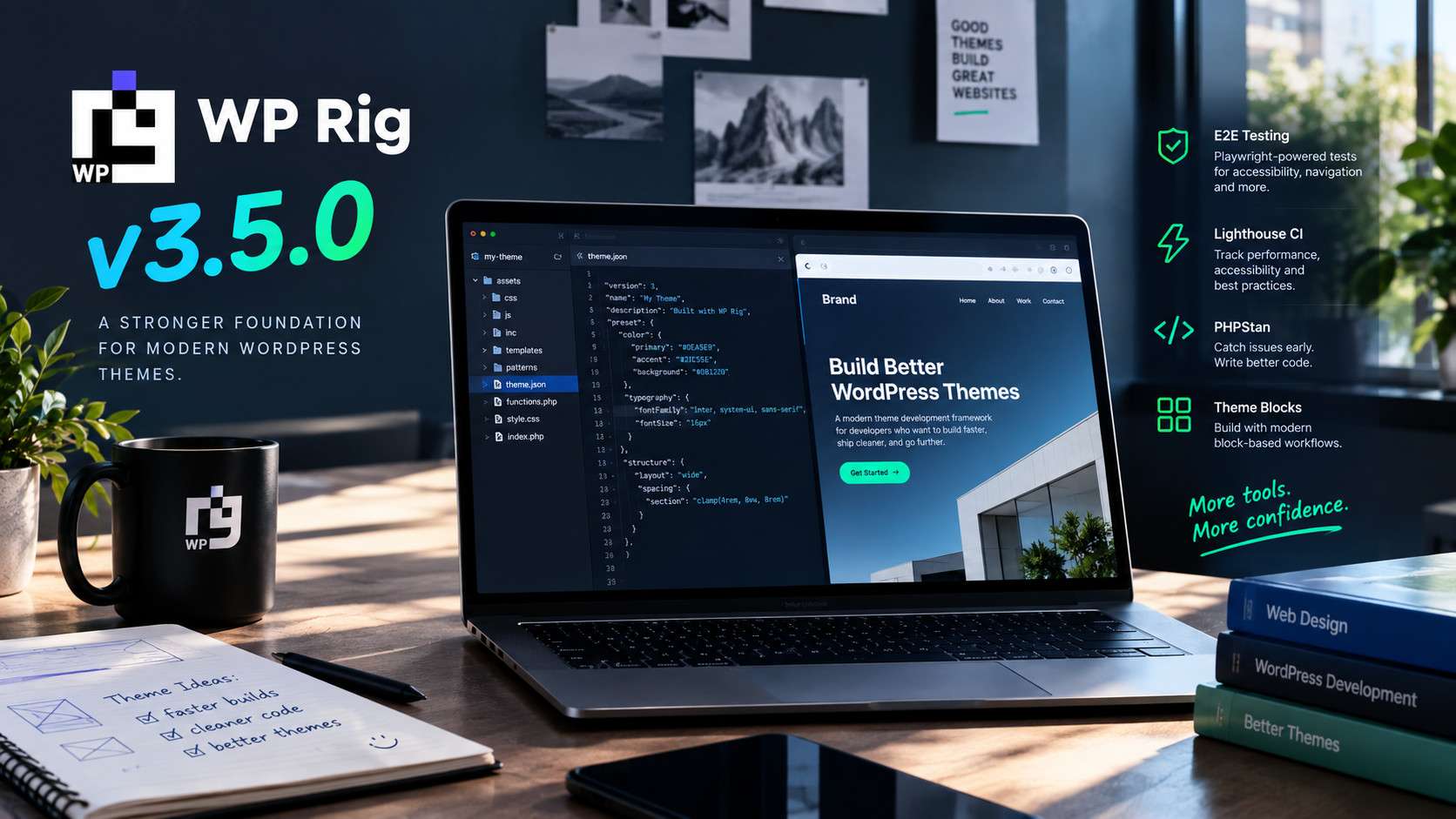
The WP Rig team is thrilled to announce WP Rig v3.5.0 — the largest release since v3.0. This is the release where the framework’s three-paradigm foundation becomes real: design tokens reach version 2, the Site Editor gets a full bake-and-sync round-trip, classic themes get a true-classic guarantee, and WP 7.1’s theme.json v3 and Icon API are supported natively. Here is everything that landed.
Design token system v2 (SPEC-017)
config/tokens.json is now layered — primitives → semantic light/dark → component — with a JSON Schema for editor autocomplete. Dark mode is generated from semantic.*.dark, fixing the long-standing gap where token colors never flipped in dark schemes. Config-driven theme.designTokens.colorBinding (independent vs wp-preset) is paradigm-aware: classic themes never emit --wp--preset-- references. New commands: rig:tokens:setup (v1→v2 upgrade with backups), rig:tokens:import / rig:tokens:export for W3C DTCG / Figma round-trips. Tailwind remains fully optional — nothing is added unless theme.designTokens.emit.tailwind is enabled. A WCAG contrast gate (currently at warn) audits your palette as you work.
npmrunrig:tokens:setup
Site Editor bake & sync (rig:bake)
Site Editor work — custom templates, template parts, patterns, Global Styles, Font Library fonts — lives in the database, not in git. v3.5.0 ships rig:bake, a Node port of bacoords/wp-theme-control, that moves that work into your theme’s files so it can be diffed, reviewed, and committed. Every write is recorded in a manifest with sha256 checksums; cleanup deletes only records whose files still match. Runtime URLs in baked patterns are patternized to patterns/hidden-*.php. Paradigm-gated to universal and block-based themes — classic gets a graceful refusal.
gitstatus# must be clean — a bake is reviewed as a diffnpmrunrig:bake:plan# read-only inventory + collisionsnpmrunrig:bake# writes files; does NOT clean the DBnpmrunlint:patterns&&npmrunlint:blocksgitadd-p&&gitcommit# review the diffnpmrunrig:bake:clean--.wp-theme-control/runs/<run>/manifest.tsv
The true-classic guarantee
Choosing classic during rig-init now enforces itself. A stale config.local.json override no longer silently wins the merge chain — init strips theme.themeType and theme.enableBlocks on every run so your interactive choice is authoritative. Selecting classic also moves leftover templates/ and parts/ FSE artifacts into a timestamped .rig-backup/ folder (never deleted) — a stray templates/index.html made WordPress core detect a block theme and surface the Site Editor regardless of config. theme.json is intentionally kept: it is hybrid-legitimate and never triggers the Site Editor.
Navigation that looks right out of the box
The starter template no longer ships a bare <!-- wp:navigation /--> — the markup that caused WordPress to lazily create an unstyled fallback nav post. The starter now ships inline wp:home-link + wp:page-list inner blocks with a styled baseline in _blocks-based.css, so the default state renders like real navigation immediately. A new opt-in npm run seed:navigation seeds an editable wprig-primary-nav post for Site Editor workflows.
npmrunseed:navigation
WordPress 7.1 alignment
theme.json v3: added settings.viewport (mobile 480px / tablet 782px), explicit settings.blockVisibility, and token-derived layout sizes. Pseudo-state styling (hover/focus/active) is enabled.
Viewport-driven breakpoints: all 7 @custom-media aliases derive from settings.viewport — one breakpoint scale for every paradigm, and the editor preview and frontend finally agree.
Block Visibility alignment: the responsive nav shares the same scale as core’s wp-block-hidden-* classes — hamburger hides at 481px, nav collapses at 782px. Guidance documented to avoid double-toggling.
Native Icon API: every SVG in assets/icons/ registers with wp_register_icon() in every paradigm — classic included. Incompatible icons are skipped with a log note instead of registering blank.
The paradigm foundation
The single-source-of-truth paradigm system ships complete: config/paradigms.json, JS/PHP helpers, generic component gating via Paradigm_Component_Trait and PARADIGM constants, and fail-fast validation with jest + PHPUnit coverage. Block features are strictly gated out of the classic core. Changing your theme type is a one-line config edit — every gate follows automatically.
Block-based CSS surface & pattern registry
A new assets/css/src/_blocks-based.css (gated to universal/block-based) ships a starter baseline for FSE core blocks: Navigation desktop + mobile-toggle alignment, theme part spacing, and Query Loop defaults — it never loads in classic themes. The new inc/Block_Patterns component provides config-seeded, filterable pattern categories and registers installed components’ bundled patterns. Companion tooling: rig:pattern scaffolding with i18n-aware headers and a lint:patterns validator now part of ai:check.
Framework vs theme version separation
WP Rig’s own version now lives in config/framework.json and is stripped by childify — a built theme never carries it. The theme version lives in config and is stamped into style.css and readme.txt at bundle time, fixing a leak where the framework version could reach production themes.
npmrunrigversion:framework3.5.0# bump framework versionnpmrunrigversion1.0.0# bump theme versionnpmrunrigversion# print both
User-styles overlay (SPEC-016)
Baked Global Styles and font activations land in git-tracked config/user-styles.json — not theme.json. The token pipeline merges the overlay last (deep-merge objects, arrays replace wholesale, custom font definitions win on duplicate slugs); SSOT keys never merge. rig:tokens regeneration is deterministic after a bake, and the PHP runtime is overlay-blind with a PHPUnit parity guard.
Upgrading
Update your WP Rig checkout and re-run init:
npmrunrig-init
Coming from token-system v1? Run rig:tokens:setup — it upgrades config/tokens.json to the layered v2 format with a collapse-aware legacy-name codemod and backups. Full release notes are in the changelog.
The WP Rig team is thrilled to announce the official release of WP Rig v3.4.2!
WP Rig has always been the premier developer-first starter theme and build system for WordPress. With v3.4.2, we’re taking performance, layout sophistication, and theme compliance to the next level. This release introduces game-changing server-side rendering speeds, cutting-edge CSS layouts, and powerful local auditing tools designed to get your theme into the official WordPress.org Directory on day one.
Here is a look at what makes WP Rig v3.4.2 our most exciting release yet.
1. Blazing-Fast Server Speeds with Block Manifests (Issue #936)
Bespoke block-based WordPress themes often suffer from a hidden bottleneck: runtime filesystem scanning. On every page load, WordPress has to scan directories, locate individual block.json files, and parse them with CPU-intensive JSON decoding.
WP Rig v3.4.2 completely eliminates this runtime overhead by integrating with modern WordPress 6.7 and 6.8 Block Metadata Collections.
Pre-Compiled Manifests: During npm run build, WP Rig compiles all your block configurations into a single, high-performance PHP file (assets/blocks/blocks-manifest.php).
In-Memory Performance: Because the manifest is a native PHP array, it caches directly in your server’s OPcache. WordPress reads your entire block library directly from memory almost instantly—completely bypassing the filesystem.
Resilient Fallback Pipeline: A smart 3-tier loader utilizes modern WordPress 6.8+ batch loading, falls back to WordPress 6.7 in-memory collections, and gracefully drops back to traditional scanning on older WordPress versions or local dev setups.
We have resolved the long-standing issue of dropdown navigation menus overflowing the edge of the viewport using an ultra-modern hybrid positioning system:
CSS Anchor Positioning: For modern browsers, WP Rig uses native CSS Anchor Positioning to dynamically align submenus relative to their parents. This delivers absolute zero layout flicker and zero JavaScript execution.
Optimized TypeScript Fallback: For older browsers, a highly optimized Intersection Observer script seamlessly detects potential overflows and flips submenu alignment without taxing browser paint cycles.
3. Demystifying the Theme Directory: Local Submission Auditing
Passing the official WordPress.org Theme Directory review is notoriously challenging. To take the guesswork out of compliance, WP Rig v3.4.2 introduces an automated local submission readiness platform!
We have codified strict theme review guidelines directly into an executable suite of commands:
npm run audit:theme-review: Instantly checks your active theme for metadata accuracy, banned files, illegal plugin-territory code (like inline block registration), translation errors, and security issues.
npm run bundle:wporg: Compiles a clean, production-ready .zip archive—stripping all source files (src/, .ai/, etc.)—and automatically audits the final zip to ensure it is 100% submission-ready.
wp rig review-setup: Integrates with WP-CLI to install the official Theme Check and Theme Sniffer plugins locally, configure developer runtime logs, and import the official Theme Unit Test data for comprehensive visual QA.
4. Developer Quality of Life & Polish
We’ve also packed this release with features to make your daily coding workflow faster and more enjoyable:
Locked Mobile Menus: Hold Alt (or Option on macOS) while toggling the mobile menu in block-based dev to lock it open. It will stay pinned to the screen even when browser Developer Tools steal focus.
Single Source of Truth Breakpoints (Issue #925): Define --mobile-breakpoint as a CSS Custom Property. It is dynamically parsed and shared by both CSS and TypeScript, completely removing magic numbers.
Variable Font Support: Refactored font handling natively supports variable fonts and optimizes Google Fonts query generation to ensure faster rendering.
Modern Workspace Alignment: Unified Prettier, ESLint, and EditorConfig rules; block schema validation; PHP-only block scaffolding for WordPress 7.0; and the addition of ergebnis/agent-detector to help AI agents adapt to your local container environments.
Try WP Rig v3.4.2 Today!
Experience the ultimate blend of modern developer tooling, server-side speed, and bulletproof compliance. Getting started takes less than a minute:
# Clone the repositorygitclonehttps://github.com/wprig/wprig.gitmy-themecdmy-theme# Install dependencies and start the modern dev serverbunrunrig-init:bunbunstart
Try WP Rig v3.4.2 today, and watch your build times, server-side rendering speeds, and theme audit errors vanish! 🚀
Love WP Rig? Support the project by starring us on GitHub and sharing this release with your dev networks!
The WP Rig team is absolutely thrilled to share a massive announcement with our developer community: WP Rig has been officially selected to be featured at WordCamp US 2026 in Phoenix, Arizona!
This is an incredible milestone for our project. Our mission has always been to elevate the standards of WordPress theme engineering and give developers the ultimate, high-performance toolkit to build modern websites. Having our architecture and workflows highlighted on the main stage at WordCamp US 2026 is a testament to the power of our growing community.
In this post, we’ll dive into what this milestone means for WP Rig, break down what you will learn in Rob’s interactive workshop, and share how you can attend in person or tune in online to support the movement.
The Vision: Democratizing the Theme Directory
For years, submitting a custom theme to the official WordPress.org Theme Directory has been considered a daunting, time-consuming challenge. The official WordPress Theme Review Team maintains incredibly strict quality, accessibility, security, and structural Theme Review Guidelines. For many independent developers and agencies, navigating the feedback loop of reviews and revisions has felt like an insurmountable barrier to entry.
At the same time, the transition from traditional classic templates to the block editor, theme.json configuration, and Full Site Editing (FSE) has created a significant learning curve.
Our WordCamp US 2026 workshop is designed to smash those barriers down. By combining WP Rig’s performance-focused Object-Oriented Programming (OOP) PHP architecture with the power of AI-native engineering (agentic workflows), Rob Ruiz will demonstrate how any developer can build, test, and submit directory-ready, block-enabled WordPress themes with absolute confidence.
We want to show the WordPress community that high-quality, block-ready theme development is accessible to everyone—and WP Rig is the platform that makes it happen.
What to Expect: A Hands-on, Immersive Workshop
Unlike traditional slide-heavy presentations, this is an interactive, hands-on workshop. You won’t just be listening; you’ll be active in your terminal, writing code, executing automated tests, and collaborating with AI coding agents in real-time.
Here are the key technical pillars that Rob will guide participants through:
1. Blazing-Fast Compilation & Modern Tooling
Attendees will experience the true power of WP Rig’s modernized build pipeline. We will configure and leverage Bun and Lightning CSS to achieve near-instant feedback loops. Say goodbye to heavy Webpack bloat and slow compiler wait times—you will learn how to keep your development in a flow state using our Vite-like Modern Dev Server.
2. AI-Native Development & Agentic Workflows
As developers increasingly lean on AI coding assistants (like GitHub Copilot, Claude, or ChatGPT), we need codebases that minimize model “hallucinations.” Rob will demonstrate why WP Rig’s strict OOP structure, namespaces, and PSR-4 compliant autoloading make it the ultimate playground for AI-assisted coding. You will learn how to write structured prompts and leverage custom AI instructions (llms.txt) to have AI write block-ready code that integrates perfectly into WP Rig.
We will dive deep into Gutenberg block engineering. You will learn how to scaffold theme-scoped Gutenberg blocks directly inside your theme:
npmrunblock:newmy-custom-block
We will also highlight the cutting-edge WordPress 7.0 PHP-only block architecture, showing how you can leverage a build-free custom block model (--architecture php) with auto-registering schemas. Finally, we’ll demonstrate how to easily promote theme blocks to standalone plugins with a single command to ensure strict compliance with WordPress.org Theme review guidelines.
4. Eliminating the Review Loop with Automated QA
You will learn how to run WP Rig’s pre-configured automated testing suite locally:
If you are attending WordCamp US 2026 in Phoenix and plan to participate in Rob’s session, we want you to be fully prepared to code alongside us.
To get the absolute most out of the hands-on exercises, we highly recommend bringing a laptop with the following pre-installed:
Local WordPress Environment: A local server environment such as LocalWP or WordPress Studio.
NodeJS or Bun: A local installation of Node.js (version 20 or higher) or Bun.
Composer: For running PHP packages and dependencies via Composer.
A Clean Copy of WP Rig: Clone the official WP Rig GitHub Repository locally so you are ready to boot up your terminal on day one.
No advanced block-building experience is required! If you have a foundational knowledge of PHP, CSS, and basic terminal commands, you are perfectly equipped to succeed in this session.
Join Us in Phoenix or Tune in Online!
WordCamp US 2026 is shaping up to be an extraordinary gathering of minds in Phoenix, Arizona. It is the ultimate place to connect with other developers, share ideas, and witness the future of the WordPress project.
Attending in Person?
If you are buying WordCamp US 2026 tickets and making the trip to Phoenix, we would love to meet you! Be sure to add “Democratizing the Theme Directory: Building Block-Ready Themes with WP Rig & AI” to your custom session schedule. Come early to secure a seat, bring your laptop, and make sure to stop by and say hello to Rob Ruiz after the session. We love connecting with our users and hearing about the incredible custom sites you are building with WP Rig.
Tuning in Remotely?
If you can’t make the trip to Arizona, you don’t have to miss out on the excitement. WordCamp US live-streams session tracks globally. We will be sharing streaming links, real-time slides, and workshop resources across our social channels and right here on our blog as the event approaches.
Help Us Spread the Word!
We want to raise massive awareness about WP Rig and show the broader WordPress community that modern, high-performance, and standards-compliant theme engineering is within reach for every developer.
You can support the project today by:
Starring our GitHub Repository: Show your love and help other developers discover our GitHub repository.
Sharing the News: Post about our WordCamp US session on X/Twitter, LinkedIn, and in your developer Slack groups.
Telling a Peer: Let your developer friends and agency colleagues know that they can build better child and parent themes faster with WP Rig.
We are incredibly grateful for your continued support, contributions, and enthusiasm. We can’t wait to represent the WP Rig community in Phoenix and help democratize WordPress theme development for everyone.
Choosing the right starter theme is one of the most critical architectural decisions you will make in modern WordPress theme development. The boilerplate you select defines your build pipeline, directory structure, coding patterns, and—most importantly—the performance of the final website.
For developers seeking a modern, command-line-driven workflow, two primary frameworks dominate the conversation: WP Rig and Roots Sage.
Roots Sage is a highly popular, Laravel-inspired starter theme with a dedicated following. But in recent years, a massive shift has occurred. Developers are increasingly moving away from Sage in favor of WP Rig as their primary theme engineering platform.
In this deep-dive, head-to-head comparison, we will break down WP Rig vs Roots Sage, analyzing their architecture, performance, build tools, and developer experience. We will fairly evaluate Sage’s perks, and then explain why WP Rig represents a lighter, faster, and more future-proof choice for custom WordPress themes.
What is Roots Sage? (Acknowledging Its Perks)
Before analyzing why WP Rig is the superior alternative, we must give credit where credit is due. Developed by the Roots team, Sage is an excellent, sophisticated theme framework that has pushed the boundaries of WordPress development.
Key advantages of Roots Sage include:
The Blade Templating Engine: Sage integrates Laravel’s Blade templates, allowing developers to write clean, expressive layout files with dry logic, inheritance, and components instead of traditional PHP loops.
Acorn Integration: Sage leverages Acorn to boot Laravel-style service providers, dependency injections, and view-composers inside WordPress.
Tailwind CSS Out-of-the-Box: Sage is configured for utility-first styling with Tailwind CSS, making it a favorite for frontend developers who love utility classes.
A Familiar Ecosystem: For developers coming from the Laravel ecosystem, Sage feels immediately familiar and comfortable.
Sage is a powerful framework, but its high-complexity, Laravel-centric architecture introduces significant trade-offs. For standard, high-performance custom themes, many developers find Sage to be overly heavy, slow to compile, and difficult to align with native WordPress standards.
1. Runtime Performance: Heavy Acorn Overhead vs. Lightweight Native PHP OOP
The most significant architectural difference between the two starter themes lies in their runtime footprint.
Roots Sage: The Acorn Dependency
To execute Blade templates and Laravel controllers, Sage requires you to install and boot Acorn (essentially a Laravel application instance running inside WordPress). Every single page load requires WordPress to bootstrap the Laravel container. This introduces substantial PHP memory overhead, increased execution times, and extra latency that can negatively impact your server response times and Core Web Vitals.
WP Rig: Pure, High-Performance Native PHP
WP Rig takes a completely different approach. It leverages a clean, modern, and highly optimized Object-Oriented Programming (OOP) design that operates natively within WordPress.
Instead of wrapping your theme in an external framework, WP Rig organizes logic into standalone, self-contained Components under the inc/ directory. Each component implements a standard, lightweight interface:
There is no second container to boot, no heavy dependency injection layer, and no added latency. WP Rig utilizes PSR-4 autoloading and strict type hints, delivering maximum execution speeds and a rock-solid, secure performance foundation out of the box.
2. Compilation Speed: Bud/Webpack vs. Vite-Like Blazing Fast Tooling
Your build system’s compilation speed directly dictates your developer flow state. Waiting on a slow bundler to compile styles or scripts can kill productivity.
Roots Sage: Bud & Webpack
Sage uses Bud (a build wrapper developed by Roots, built on top of Webpack) to compile assets. While Bud is highly flexible, it is still built on Webpack. This means that as your theme grows, compilation times for CSS and JavaScript files steadily increase. Hot-reloading can feel sluggish, and configuring Bud to fit custom workflows often requires navigating complex, abstract config files.
Bun or Node.js drive the underlying task executors.
esbuild compiles and bundles TypeScript and ESNext JavaScript in a fraction of a millisecond.
Lightning CSS parses, imports, and minifies stylesheets with unmatched efficiency.
WP Rig’s compilation is up to 10x faster than Webpack-based pipelines. Furthermore, WP Rig includes an opt-in Modern Dev Server (npm run dev:modern) that acts like a Vite dev server. It provides a lightweight local proxy, enabling hot style injections and instantaneous page refreshes. You can read more about this on the WP Rig Workflows Page.
3. Block Editor (Gutenberg) & Full Site Editing (FSE) Integration
Modern WordPress is centered around the Block Editor (Gutenberg) and Full Site Editing (FSE). A starter theme must play nicely with WordPress’s native blocks.
Roots Sage: Blade vs. Blocks
Sage’s Blade template system is structurally disconnected from native Gutenberg blocks. Getting Blade components to render seamlessly inside the WordPress block editor editor-style environments is notoriously difficult. Creating blocks in Sage often requires additional third-party libraries (like Sage-compatible block builders or ACF blocks), which adds further complexity and layers of abstraction.
WP Rig: Native, Theme-Scoped Block Engineering
WP Rig is built with native Gutenberg block development at its core. It includes a built-in block scaffolding system powered directly by @wordpress/create-block:
npmrunblock:newmy-custom-block
This generates a theme-scoped, FSE-ready block directory under assets/blocks/my-custom-block/.
Even better, WP Rig is ready for WordPress 7.0 PHP-only blocks. By running:
npmrunblock:newmy-php-block----architecturephp
WP Rig scaffolds a zero-build custom block featuring an auto-registering block.json and a clean render.php template, completely bypassing Javascript compilation overhead. The core block component at inc/Blocks/Component.php automatically discovers and registers all blocks in your directory on init.
4. Feature Modularities: Monolithic Setup vs. “A La Carte” Component Registry
When building client sites, you rarely need every single feature out-of-the-box. Stripping out unwanted code should be effortless.
Roots Sage: The Monolithic Boilerplate
Sage comes as a monolithic package. If you don’t want Tailwind, or if you want to swap out Webpack, or delete custom controller classes, you must manually dig through directories, edit Laravel-style config files, prune composer dependencies, and rewrite core boot classes.
WP Rig: The Open Component Registry (OCR)
WP Rig acts as a modular, composable development platform powered by the Open Component Registry. Instead of starting with a heavy starter pack, you can discover, add, and remove vetted, performance-optimized features on-demand from the command line:
npm run rig:list – Check all active theme components.
npm run rig:search [keyword] – Discover open, engineered components.
npm run rig:add [slug] – Inject a complete, tested PHP feature and its assets into your theme.
npm run rig:remove [slug] – Completely prune a component with zero leftover bloat.
For digital agencies, WP Rig supports private component registries. You can package and distribute your own internal, proprietary client integrations securely across your projects, maximizing code reusability while keeping your IP safe. Learn more at WP Rig Component Registry.
5. CSS Workflows: Tailwind Bloat vs. Future-Proof Native CSS
How you write CSS affects not only developer experience but also the raw output size of your production assets.
Roots Sage: Heavily Tied to Tailwind
Sage is heavily opinionated toward Tailwind CSS. While Tailwind is fantastic for rapid layouts, utility-first CSS leads to highly cluttered Blade templates overflowing with classes. It also requires heavy PostCSS compilation to strip out unused utilities for production, making your stylesheets completely dependent on a complex, abstract build system.
WP Rig: Standards-Driven CSS via Lightning CSS
WP Rig champions writing native, future-proof CSS without heavy pre-processors or utility bloat. Operating entirely via Lightning CSS, WP Rig supports modern specifications today with zero-configuration browser fallbacks:
CSS Variables: Store design tokens globally in _custom-properties.css using :root.
Custom Media Breakpoints: Declare breakpoint variables under the upcoming @custom-media spec in _custom-media.css, which Lightning CSS transpiles into standard media queries.
Dynamic Image Path Resolution: WP Rig includes a custom build script that resolves and rewrites relative image paths (e.g., pointing to files in assets/images/) into production-ready URLs. You never have to manually hardcode absolute paths in your CSS.
This results in highly structured, incredibly lightweight, and standards-compliant stylesheets. Read more on the CSS in WP Rig Page.
6. Official WordPress.org Directory Readiness
If your goal is to distribute your theme publicly on the official WordPress.org Theme Directory, your boilerplate choice is highly restricted.
Roots Sage: Virtually Prohibited
The official WordPress Theme Review guidelines enforce strict coding, structural, and template standards. Sage’s non-standard directory layouts, reliance on Acorn, Laravel controllers, and Blade template files make it virtually impossible to submit to the official repository. If you build a theme in Sage, it is locked into premium-only or private distribution.
WP Rig: Completely Directory-Ready
WP Rig is built in strict alignment with official WordPress.org Theme Review guidelines. Out of the box, running:
npmrunai:check
triggers automated PHP Code Sniffer (PHPCS) audits configured to validate your code against official WordPress Coding Standards (WPCS).
Furthermore, WP Rig is prepared for block-directory submission. While custom blocks are considered “plugin territory” by review guidelines, WP Rig lets you build and test blocks locally, and instantly package and promote them to standalone plugins with a single command:
npmrunblock:promote-plugin<block-slug>
Your WP Rig codebase remains perfectly compliant and ready for directory submission from day one.
7. Automated Quality Assurance & CI/CD Pipelines
Delivering robust, secure code to enterprise clients demands rigorous testing. Setting up automated QA in legacy themes is often a major pain point.
Roots Sage: Manual Configuration Needed
While Sage integrates with standard PHP testing tools, setting up a comprehensive quality assurance workflow with static analysis, browser end-to-end tests, and accessibility audits requires manual configuration and heavy pipeline scripting.
WP Rig: Out-of-the-Box QA Automation
WP Rig features an incredibly advanced, pre-configured QA suite that operates with a single command:
PHPStan Static Analysis: Runs strict type checking and static analysis to capture bugs before execution.
Playwright E2E Browser Testing: Automatically spins up headless browsers to run smoke tests, verify navigation links, and execute visual regression audits via screenshots.
Automated Accessibility Auditing: Integrates axe-core directly into browser tests to perform automated accessibility audits on layouts (such as 404 and archive templates), ensuring WCAG compliance.
CI/CD Pipeline Ready
Because WP Rig’s build toolchain is completely self-contained, it integrates seamlessly into modern Continuous Integration / Continuous Deployment (CI/CD) pipelines (like GitHub Actions or GitLab CI).
Under the "export" settings in config/config.json, developers have absolute control over bundling. The bundler automatically excludes local configurations, private .env variables, development documentation, and raw assets. This lets your CI/CD pipeline compile your assets with npm run build, run automated static and browser testing, package the clean ZIP with npm run bundle, and deploy a lightweight, hardened artifact directly to production.
8. Parent-to-Child Theme Generation for ANY Parent Framework
For many agency developers, the absolute ideal workflow is building incredibly fast, modern child themes that inherit functionality from popular parent themes.
Roots Sage: Locked Into Standalone
Sage is structurally engineered to operate as a standalone, parent starter theme. Using Sage to build a child theme for a third-party framework is highly complex and practically defeats the purpose of Sage’s Laravel-based architecture.
WP Rig: Ultimate Child Theme Generator
WP Rig includes a dedicated, highly versatile childify script:
nodenode/childify.js
This script instantly bootstraps a streamlined child theme in your workspace. What makes WP Rig’s child themes revolutionary is that they are fully compatible with any parent theme on the market.
Whether you want to build a high-performance child theme for Astra, GeneratePress, Divi, Kadence, or Twenty Twenty-Four, WP Rig generates a child theme that inherits parent templates while retaining its own independent, fully operational WP Rig modern build system (complete with esbuild, Lightning CSS, and the Modern Dev Server).
You can write modern CSS nesting, dynamic image pathing, and TypeScript inside the child theme’s src/ directory, while letting your favorite external parent framework handle core theme layouts.
Both WP Rig and Roots Sage are exceptional, developer-first boilerplate platforms, but they cater to fundamentally different philosophies.
Choose Roots Sage if you are a Laravel developer who is completely committed to the Laravel-Acorn ecosystem, strictly prefer utility-first workflows with Tailwind CSS, and only build standalone, premium client themes that will never be submitted to the official WordPress repository.
Choose WP Rig if you want an ultra-lightweight, natively structured, high-performance starter theme that respects standard WordPress coding patterns. WP Rig is the definitive choice if you want blistering build speeds that rival Vite, seamless native block and Full Site Editing integration, a-la-carte component modularity, out-of-the-box automated static and browser testing, secure CI/CD pipeline bundling, and the ability to author powerful child themes for popular parent frameworks like Astra or GeneratePress.
Are you ready to experience high-performance, future-proof theme engineering? Clone WP Rig, run npm run dev:modern, and elevate your WordPress development workflow today!
In the rapidly evolving world of WordPress theme development, finding a workflow that balances high-performance output, clean architecture, and modern developer convenience is a constant struggle. For years, developers were forced to choose between bloated, monolithic starter themes or spend dozens of hours bootstrapping their own modern build configurations with Gulp, Webpack, or Sass.
Enter WP Rig.
WP Rig is not just another starter theme—it is a modern, highly opinionated, and performance-optimized theme engineering platform. If you want to build custom, directory-ready WordPress themes that load instantly, ace Google’s Core Web Vitals, and leverage modern tooling like Bun, esbuild, and Lightning CSS, WP Rig is the definitive choice.
In this deep-dive guide, we break down the top 10 reasons to use WP Rig for your next custom WordPress theme development project, drawing directly from its advanced architecture, workflow specifications, and automated tooling.
1. The “A La Carte” Component Architecture (Goodbye, Bloated functions.php)
Historically, WordPress starter themes have relied on a massive, chaotic functions.php file or unorganized helper files to bootstrap theme functionality. This classic procedural design makes themes highly fragile, difficult to maintain, and packed with bloated code that developers must manually strip out.
WP Rig v3.4 completely reimagines theme PHP architecture using a strict, modular Object-Oriented Programming (OOP) model. Under the hood, WP Rig organizes features into self-contained Components located under the inc/ directory. Each feature (such as custom backgrounds, nav menus, or post thumbnails) is encapsulated in a dedicated class that implements a standardized Component_Interface.
wprig/inc/├──Theme.php# Main theme bootstrap class├──Component_Interface.php# Standard contract for components├──{Feature_Directory}/│└──Component.php# Implements Component_Interface
To take this modularity to the next level, WP Rig features the Open Component Registry (OCR). Instead of manually writing boilerplate, you can discover, add, and manage performance-optimized components dynamically from the command line:
npm run rig:list – Inspect all active and installed theme components.
npm run rig:search [keyword] – Discover bolt-on, community-built components.
npm run rig:add [slug] – Download and inject a component directly into your theme.
npm run rig:remove [slug] – Completely prune a component and its assets with zero residue.
Private Component Registries for Agencies
For agency environments, this modularity is incredibly powerful. Beyond the public registry, development teams can set up and configure private component registries. This allows agencies to package, version, and distribute their own vetted, proprietary internal components (such as specialized API integrations, custom block layouts, or customizer setups) securely across all of their client sites. You achieve maximum code reuse without exposing sensitive intellectual property to the public.
2. A Blazing-Fast, Vite-Like Modern Compilation Pipeline
Legacy WordPress theme compilation can feel incredibly sluggish. WP Rig has completely redesigned the asset build pipeline to deliver a blazing-fast local developer experience that rivals modern front-end build systems like Vite.
WP Rig utilizes cutting-edge, high-performance engines to process source assets in milliseconds:
Bun or Node.js drive the high-speed task runners.
esbuild compiles and minifies TypeScript and ESNext JavaScript (assets/js/src/) in milliseconds.
Lightning CSS parses, imports, and minifies stylesheets with remarkable efficiency.
For active development, WP Rig introduces an opt-in Modern Dev Server (npm run dev:modern) that replaces legacy, heavy compilers. Operating much like a Vite dev server, this lightweight proxy listens on custom ports, injects styles on-the-fly directly into the browser without full page reloads, and refreshes templates instantaneously. This gives you desktop-app-like compilation speeds specifically tuned for local WordPress environments, keeping you in a flow state rather than waiting on your terminal.
3. AI-Optimized Coding Companions
Artificial intelligence is changing how we write code. However, typical legacy WordPress code—with its procedural style, global variables, and lack of typing—is notorious for causing AI model “hallucinations” in tools like ChatGPT, Claude, and GitHub Copilot.
WP Rig is engineered from the ground up to be AI-friendly. It provides highly structured, predictable architecture that LLMs can read and understand perfectly. Key design choices that optimize WP Rig for AI-driven workflows include:
Strict Namespacing: All theme PHP classes operate under the WP_Rig\WP_Rig root namespace, avoiding global scope pollution.
Autoloading (PSR-4): Sibling classes map strictly to the directory layout, making it easy for AI agents to locate dependencies.
Type Hinting: Extensive use of parameter and return type hints makes code self-documenting and structurally predictable.
Integrated LLM Mapping: WP Rig includes a structured .ai/ directory and llms.txt configurations, mapping architectural guidelines so custom AI assistants can immediately grasp local theme conventions and write registry-ready components with near-zero errors.
When your AI assistant understands the codebase, your development velocity skyrockets.
4. Built-in Performance Architecture for Core Web Vitals
Slow page speeds destroy conversions and harm search engine rankings. In WP Rig, maximum performance is built right into the framework’s core files. The platform utilizes three advanced strategies to ensure your custom themes score a perfect 100 on Google Lighthouse:
A. Progressive Loading of CSS
Standard themes bundle all styles into a single, massive stylesheet. WP Rig utilizes progressive CSS loading using in-body tags.
While global.css contains baseline layouts and is loaded in the <head>, other component-specific stylesheets (like comments.css, sidebar.css, and widgets.css) are registered in inc/Styles/Component.php and loaded conditionally only when that specific module is present in the current viewport:
Developers can print these styles dynamically in template partials using:
wp_rig()->print_styles('wp-rig-comments');
This significantly reduces the initial page payload, leverages HTTP/2 multiplexing, and optimizes browser parsing times.
B. Cookie-Based Critical CSS Inlining
To deliver an instantaneous First Contentful Paint (FCP), WP Rig features an intelligent cookie-based critical CSS strategy:
First-time visitors receive critical above-the-fold CSS inlined directly into the HTML <head>.
Once loaded, WP Rig sets a wprig_critical_cached cookie in the user’s browser.
On subsequent visits, the theme detects this cookie and enqueues the styles as standard, cached external files, preventing redundant HTML bloat.
C. Localized Font Optimization
To eliminate layout shifts (CLS) and Flash of Unstyled Text (FOUT), WP Rig downloads and localizes Google Fonts to the assets/fonts/ directory. The theme automatically preloads these local font assets via <link rel="preload"> and defaults them to font-display: block or swap, ensuring fonts are rendered seamlessly before rendering text.
5. Native Block and Full Site Editing (FSE) Integration (With Directory-Ready Safeguards)
Transitioning to modern WordPress Gutenberg and block-based architecture can be highly complex. WP Rig acts as the perfect bridge, supporting both classic theme files and cutting-edge Full Site Editing (FSE) standards.
Key Gutenberg-ready features in WP Rig include:
theme.json Configuration: Seamlessly propagates design tokens, custom colors, spacing systems, and typography directly to the WordPress block editor and Global Styles.
Theme-Scoped Gutenberg Blocks: Scaffold custom block directories directly inside the theme directory (assets/blocks/<slug>/) instead of spinning up heavy standalone plugins. npm run block:new my-custom-block — –title=”My Custom Block”
PHP-Only Blocks (WordPress 7.0 Ready): WP Rig supports zero-build block development. By utilizing the --architecture php flag: npm run block:new my-php-block -- --architecture php WP Rig scaffolds a schema-compliant, auto-registering block.json and a simple PHP render.php template. This bypasses React build overhead entirely, making simple blocks incredibly fast to construct.
Automatic Block Registration: The block component at inc/Blocks/Component.php dynamically scans the assets/blocks/ directory on init and registers every discovered block automatically. No manual PHP bootstrapping required!
Omission & Promotion Rules for the WordPress.org Directory
If you are authoring a theme for the official WordPress.org Theme Directory, you are likely aware of their strict theme review guidelines regarding custom blocks: block registration is generally considered “plugin territory” and is prohibited inside themes. WP Rig handles this limitation beautifully. You can easily build, test, and preview custom theme-scoped blocks during local development, and when preparing for directory submission, you can cleanly promote them to standalone plugins with a single command:
npmrunblock:promote-pluginmy-custom-block
This isolates the block files and bundles them into a separate, installable plugin, keeping your theme completely compliant with official review guidelines while preserving block development convenience.
Submitting a custom theme to the official WordPress.org Theme Directory or delivering highly robust code to an enterprise client can be a grueling process of debugging and revision. WP Rig removes this friction by building advanced Quality Assurance (QA) tools directly into the theme itself.
With a single terminal command:
npmrunai:check
WP Rig executes an automated battery of tests and static analysis:
PHPStan Static Analysis: Validates your PHP code, checks type safety, enforces strict parameter returns, and captures potential bugs before runtime.
PHP Code Sniffer (PHPCS): Audits your source files against the strict rulesets of the official WordPress Coding Standards (WPCS) and WordPress.org Theme Review guidelines.
Playwright End-to-End (E2E) Testing: Launches automated browsers to execute smoke tests, verify navigation, and run visual regression audits using screenshots (npm run test:e2e:screenshot).
Automated Accessibility Auditing: Playwright leverages axe-core to perform automated WCAG accessibility audits on critical templates (like 404 and archive pages) to ensure compliant HTML output.
This robust QA pipeline ensures that your custom theme is completely secure, bug-free, and directory-ready from day one.
7. Secure Bundling and Enterprise-Grade CI/CD Pipelines
Modern development and deployment demand a higher standard of security and automation. WP Rig addresses these needs by integrating precise packaging filters and robust compatibility with Continuous Integration / Continuous Deployment (CI/CD) pipelines.
Granular Export and Bundle Control
When preparing a theme for production, you want to guarantee that local developer configurations, raw assets, and internal documentation do not make their way to the production server. Under the "export" block in ./config/config.json, WP Rig provides complete control over the bundling process.
By default, the theme bundler automatically excludes sensitive developer assets—such as .env files, API keys, the .git directory, node_modules, standard Markdown files, and raw source assets—copying only your compiled public files and production-ready templates. This ensures your final .zip file is perfectly unbloated and entirely secure.
Automated Deployment Pipelines
WP Rig is engineered to act as a key player inside enterprise deployment pipelines (such as GitHub Actions, GitLab CI, or Bitbucket Pipelines). In a standard CI/CD workflow, you can automate:
Dependency Installation & Building: Let the pipeline spin up the clean build task (npm run build) to generate compiled production scripts and stylesheets.
Automated QA Verification: Run automated linting (npm run lint), PHPStan analysis, and Playwright headless browser tests to ensure zero code regressions.
Clean Artifact Generation: Package the production-ready theme with npm run bundle and securely deploy the lightweight archive directly to your staging or production servers.
8. Future-Proof CSS Workflows via Lightning CSS (Forget Sass)
For years, CSS pre-processors like Sass or LESS were mandatory to write maintainable styles. However, compiling heavy pre-processors adds significant build bloat and compiles duplicated selectors that increase final bundle sizes.
Modern CSS has evolved, and WP Rig embraces it directly. Moving away from pre-processors and intermediate parsers like PostCSS, WP Rig processes styles entirely using Lightning CSS to compile clean, native, future-proof markup today:
Custom Properties (Variables): Declare variables globally in assets/css/src/_custom-properties.css under the :root selector and reference them dynamically throughout your stylesheets.
Bleeding-Edge Custom Media Support: Store breakpoint media queries as variables using the upcoming @custom-media specifications declared in _custom-media.css. Lightning CSS parses these declarations and compiles them into fully backwards-compatible media queries automatically.
Automated CSS Image Path Resolution: Referencing local theme images in static CSS files is a classic absolute pathing headache for developers. WP Rig’s Lightning CSS pipeline includes a specialized automation script that dynamically resolves relative image paths (e.g., pointing to assets inside assets/images/) and compiles them into production-ready URLs. This removes manual path correction entirely.
9. Accessibility (a11y) and Mobile-First Progressive Enhancement
Creating a truly accessible website that accommodates all users can take countless hours of auditing. WP Rig simplifies accessibility by baking strict WCAG compliance and mobile-first principles directly into its foundational HTML markup:
Mobile-First Baseline: The markup uses a clean, lightweight HTML structure. Mobile-first styling serves as the baseline, while complex multi-dimensional grids are served using CSS Grid and Flexbox as progressive enhancements. Older browsers that do not support grid layouts seamlessly fall back to the optimized, single-column mobile view.
Keyboard & Screen Reader Friendly: Navigation templates and responsive mobile menus are pre-configured with keyboard-accessible tab focuses and dynamic ARIA attributes.
Automated Audits: With Playwright and axe-core integrated into the testing pipeline, you can run accessibility audits locally on your custom pages to identify violations before going live.
10. Ultimate Child Theme Authoring for ANY Parent Theme
For many web agencies, the ideal workflow involves maintaining a highly optimized “parent” theme and spinning up lightweight “child” themes for individual client projects. However, child themes often lose access to the parent’s compilation pipeline, forcing developers to manage clumsy independent bundlers.
WP Rig features a dedicated childify script that elegantly solves this problem—and it is compatible with any WordPress parent theme on the market.
Whether your target site operates on a WP Rig parent or popular frameworks like Astra, GeneratePress, Divi, Kadence, or Twenty Twenty-Four, running:
nodenode/childify.js
instantly bootstraps an optimized child theme in your directory.
This generated child theme:
Inherits templates and configurations cleanly from your chosen parent theme.
Maintains its own independent, fully operational copy of the WP Rig modern build system, including esbuild, Lightning CSS, and the Modern Dev Server.
Allows you to write modern CSS nesting, dynamic image pathing, and TypeScript inside the child theme’s src/ directory, while letting the third-party parent theme handle core template rendering.
This delivers the ultimate child development architecture, allowing you to use WP Rig’s high-performance build tools on any WordPress site, regardless of the active parent theme.
Conclusion: Elevate Your WordPress Theme Development with WP Rig
WP Rig is more than a starter theme; it is an engineered, developer-first platform designed to elevate the standards of WordPress theme development. By combining strict modular PHP architectures, blisteringly fast compilation tools like Bun and esbuild, native Full Site Editing compatibility, and automated QA systems, WP Rig empowers you to build themes that are incredibly clean, lightning-fast, and future-proof.
Stop wrestling with bloated code and slow compilers. Clone WP Rig, start your local server, and experience modern WordPress theme engineering today!
Following our major shift to a modern stack powered by Bun, TypeScript, and Lightning CSS (completely removing Gulp for 10x faster build cycles) , and the introduction of our v3.3 Agentic foundation, WP Rig v3.4 officially moves us from a static starter theme to a composable development platform.
WP Rig v3.4 is one of our most foundational releases yet. If you build custom WordPress themes professionally, this release is engineered to make your day-to-day workflow faster, safer, and remarkably easy to maintain.
This version zeros in on three pillars that matter to modern engineering teams:
Performance as a Built-In System: Out-of-the-box optimization, not an afterthought.
The “A La Carte” Component Lifecycle: Reusable, shareable features powered by the new Open Component Registry (OCR).
Automation-Hardened Tooling: Enterprise-grade security and reliability for CI/CD and AI-assisted workflows.
The Strategic Objectives Behind v3.4
1. Performance as Core Architecture
WP Rig has always been a developer’s secret weapon for speed. With v3.4, performance moves directly into the core runtime via manifest-driven loading, smarter caching behavior, and cutting-edge font delivery techniques.
2. The Open Component Registry (OCR) Foundation
The headline feature of v3.4 is the Open Component Registry. Instead of regenerating common theme features or wrestling with monolithic starter themes, developers can now download or contribute “bolt-on” features a la carte.
Crucially, this supercharges AI-assisted development. Because OCR components contain predictable structural data, AI agents can effortlessly discover, pull in, and compose complex themes using proven building blocks.
3. Secure Tooling for Teams and AI Agents
As engineering workflows increasingly rely on automation, our CLI tools require stronger defaults. Building on the AI groundwork laid out in v3.3 (including MCP-oriented docs and agent setup scripting), v3.4 hardens command execution, sanitizes external data, and provides non-interactive flags designed specifically for AI-driven pipelines.
Detailed Breakdown: What’s New in v3.4
🚀 Performance & Asset Delivery Improvements
Cookie-Based Critical Asset Strategy: Delivers the absolute best of both worlds. The first page view inlines critical CSS above the fold, while subsequent views automatically serve cached external files.
Transient-Based Caching: Added deep caching for configuration retrieval and asset loading logic within inc/Theme.php.
FOUT Elimination: Reduced font flashing by defaulting localized fonts to font-display: block alongside automated preloading.
Manifest-Driven Navigation: Extended the Asset_Provider system to handle custom loading strategies, automatically delaying non-critical interaction JavaScript.
🧩 Open Component Registry (OCR) Built for Humans & Agents
Automated Discovery: Refactored core theme files to instantly scan, discover, and register independent components sitting in the inc/ directory.
Registry Scaffolding: New component generation automatically creates the necessary manifest.json, SPEC.md, and SKILL.md files.
Zero-PAT Workflows: Integrated public GitHub repository registry workflows so common fetches no longer require a Personal Access Token.
AI-Readable Knowledge Layer: The inclusion of SPEC.md and SKILL.md ensures that AI coding partners (like Claude, Copilot, or ChatGPT) understand exactly how to implement and wire up the component without “hallucinations”.
The new component registry is completely open-source. If you are interested in contributed a new component, you can find the repo here.
🛠 CLI Developer Experience (DX) Upgrades
Manage your entire workspace using the brand new npm run rig:* command suite:
Command
Purpose
npm run rig:list
Lists all currently active and available components.
npm run rig:search <keyword>
Searches the Open Component Registry for reusable features.
npm run rig:test-component <slug>
Runs the built-in diagnostic suite to validate namespaces and integrity.
npm run rig:prepare <slug>
Replaces brittle automated submissions with a clear, manual contribution prep path.
The Automation Flag: Added a global --yes flag across all commands to unlock seamless, non-interactive CI/CD runs and flawless execution by AI marketing and development agents.
Path Traversal Protection: The CLI now strictly sanitizes incoming manifest data including slugs, filenames, and asset paths.
Built-in Security Scanning: Integrated security validation directly into rig:test-component and provided OWASP-oriented GitHub Action templates.
How v3.4 Impacts Your Workflow
If you build client sites professionally…
You get perfect baseline performance out of the box—no heavy optimization plugins required. Your builds remain instantaneous thanks to our Bun and Lightning CSS core, and your initial loading states are highly optimized via native critical CSS generation.
If you are scaling with AI and Automation…
The combination of v3.3 agentic readability and v3.4 component structure means your AI pairing sessions will be highly efficient. You can prompt an agent to build a custom feature, and it will output an engineered, registry-ready component that integrates perfectly without breaking your site architecture.
Getting Started with v3.4
Ready to experience the composable era? Upgrade your repository and run through this quick checklist to benchmark your new workflow:
Audit your components:npm run rig:list
Test for registry compliance:npm run rig:test-component <your-component-slug>
Check your performance scores:npm run test:perf
Want to dive deeper into the technical architecture? Check out our updated, AI-optimized documentation platform over at wprig.io (now featuring an llms.txt file mapping for your custom AI workflows!).
WordPress theme development is at a crossroads. For years, we’ve iterated, optimized, and pushed the boundaries of what a theme framework can do. We built WP Rig to be the definitive rig—the strongest, most modern, and most performant skeleton for theme builders.
But a new force has entered the chat.
Artificial Intelligence. Coding agents. Builders that work alongside us, suggesting, writing, and debugging code at inhuman speeds.
The community has been asking: “How does my stack adapt to this new reality?”
We’ve been listening. Today, we’re doing more than just answering. We’re leading.
We are excited to announce the release of WP Rig v3.3.
This isn’t just an incremental update. This is a complete, frictionless merger between the industry’s most advanced WordPress framework and the most powerful tool in the modern developer’s toolkit: AI.
The Milestone: Total Agent Empowerment, Right Out of the Box
The headline of v3.3 is simple: You are now completely empowered right out of the box to use your coding agent of choice to build out themes with WP Rig.
We’ve removed the friction. Whether you’re partnering with GitHub Copilot, Claude, OpenAI’s GPT-4, or any specialized coding assistant, v3.3 of WP Rig has been optimized to “understand” and interface with these agents.
Your favorite agent can now navigate WP Rig’s modern build process, structure, and PHP/JS architecture with unprecedented clarity. This sets a new precedence in the WordPress community, making WP Rig the first framework of its kind to explicitly prioritize this new development workflow.
Beyond AI: A Look Inside the Most Modern Framework
WP Rig v3.3 isn’t just a partner for your AI; it remains, by design, the most modern and advanced WordPress theme framework available. We have refined every internal gear:
Optimized Modern Build Process: The legendary Gulp-based build process is leaner and more robust. We’ve shaved crucial seconds off compilation and optimization times.
Performance First: v3.3 features updated strategies for asset loading, image compression, and critical CSS generation, ensuring your themes score higher than ever on performance metrics.
A “Developer-First” Standard: The structure of WP Rig is a testament to best practices. We prioritize modularity, clear file structure, and adherence to the strictest WP coding standards. Your code (and your AI’s code) is built on a foundation that doesn’t just work—it shines.
How to Get Started with v3.3
We know you want to see this in action. The update is live and waiting for you.
Read the Full Release Notes: Dive into the technical details and see the change log on GitHub.
Download WP Rig v3.3: Use it as the starter for your next project.
Fire Up Your Coding Agent: Point your agent at the new framework and experience the synergy.
This release is a commitment. We believe that the future of theme development will be defined by synergy—the combination of human intuition, powerful frameworks like WP Rig, and intelligent AI assistance. WP Rig v3.3 is our first major step into that future.
Many thanks to everyone who has embraced WP Rig. Your feedback, contributions, and belief in this project are what make these milestones possible.
Let’s build the next generation of the web, together.
WP Rig v3.2.0 Is Here — Build, Verify, and Ship With Confidence
WP Rig v3.2.0 has officially landed, and this release marks more than just another version bump. It represents a clear shift in focus: making WordPress themes easier to confidently ship.
Not just for agencies. Not just for private client work.
This release begins a broader 2026 commitment to ensuring that themes built with WP Rig are better prepared for submission to the official WordPress theme repository, and better aligned with the expectations of the WordPress Theme Review Team.
WP Rig v3.2.0 is about helping theme authors catch issues earlier, reduce friction during review, and ship themes with clarity and confidence.
From Development to Delivery — With Fewer Surprises
Shipping a WordPress theme is about more than writing clean code. It is about answering difficult questions before a reviewer, client, or user ever sees your work:
Does this theme behave correctly across real user flows?
Are performance, accessibility, and SEO measurable and verifiable?
Are there structural or PHP issues that could trigger review feedback?
Can problems be identified proactively, rather than reactively?
WP Rig v3.2.0 is designed to help you answer those questions while you build, not after rejection or review feedback.
Confidence Through Verification
End-to-End Testing with Playwright
Manual testing is unreliable, inconsistent, and easy to skip under deadline pressure. WP Rig now includes Playwright-based End-to-End (E2E) testing to help theme authors validate behavior in real-world scenarios.
These tests can cover:
Navigation and page interactions
Accessibility and interaction flows
Smoke tests that ensure critical paths work as expected
For theme authors preparing for submission, this provides a tangible way to confirm that key behaviors function consistently — before a reviewer ever touches the theme.
Lighthouse CI — Measure What Reviewers Care About
Performance, accessibility, SEO, and best practices increasingly matter in theme review — and they matter even more to end users.
WP Rig v3.2.0 introduces Lighthouse CI configurations that allow you to:
Assess performance and accessibility during development
Identify regressions early
Make measurable improvements with confidence
Rather than guessing how a theme might perform under scrutiny, you can now evaluate those metrics directly in your workflow.
PHPStan — Fewer Issues, Cleaner Submissions
Static analysis is one of the most effective ways to reduce subtle bugs and review feedback.
By integrating PHPStan, WP Rig helps theme authors:
Identify PHP issues before submission
Improve code correctness and maintainability
Reduce avoidable back-and-forth during theme review
This benefits both authors and reviewers by catching issues at the source.
Modern Features, Without Compromising Review Compatibility
Theme-Level Blocks — Now Explicitly Opt-In
Theme-level blocks remain an important part of modern WordPress development, but compatibility with the WordPress.org theme checker is non-negotiable.
In v3.2.0, theme-level blocks are now explicitly opt-in via a dedicated script, giving authors full control over when and how they are used.
This ensures:
Maximum compatibility for repository submissions
Clear intent and configuration
No accidental review blockers
Modern tooling should empower authors — not surprise them.
A More Reliable Mobile Experience
Mobile usability is critical for both reviewers and users. The default mobile navigation has been refined to eliminate transition issues and ensure smoother, more predictable behavior across devices.
Refinements That Add Up
Beyond new tooling, WP Rig v3.2.0 includes a broad set of stability and quality improvements:
Streamlined and optimized dependencies
More resilient CLI behavior
Bundled test data for immediate E2E test execution
These refinements reduce friction, remove guesswork, and make the framework feel more dependable from day one.
A Commitment to the Entire WordPress Ecosystem
WP Rig is built for:
Agencies delivering high-quality client work
Independent theme authors
Open-source contributors
Anyone serious about modern WordPress theme development
This release begins a deliberate, long-term effort to lower the probability of theme rejection, while also making the Theme Review Team’s job easier by empowering authors to self-assess before submission.
The goal is simple: Better-prepared themes. Fewer surprises. A healthier WordPress theme ecosystem.
Looking Ahead
WP Rig v3.2.0 lays the foundation for what comes next. As we move toward 2026, expect continued focus on:
Review readiness
Developer confidence
Measurable quality
Modern tooling aligned with WordPress core expectations
WP Rig is not just a starter framework. It is becoming a professional-grade, review-aware theme development toolkit designed to support the full lifecycle of a WordPress theme — from first commit to final approval.
WP Rig 3.1 is here and it is jam packed with improvements and new features for theme developers. Lets go through what’s new. Buckle up, because there is a lot here.
Performance
In v3.0, we dramatically overhauled the JS and CSS compile system in WP Rig to improve performance and move away from older less performant processes. While this brought huge performance gains to WP Rig, this was really just phase 1 of 2 phases. In 3.1, we have finished phase 2 of this process, removing our dependency on Gulp altogether. While Gulp was great to us in the past, the package has become bloated over the years, support has been questionable, and efforts to modernize it have been less than ideal by today’s standards. So, instead of attempting to find a new task manager, we decided to write our own bespoke internal node scripts for performing many of the main WP Rig task processes. As a result, WP Rig 3.1 is even faster than 3.0, boosting build speeds by approx 2x of 3.0.
We didn’t stop there either. While BrowserSync is still a pretty cool technology, it is a bit slow and dated by modern standards. In an effort to keep up with the times, we decided that we needed something closer to HMR (hot module reloading). While true HMR is not technically possible in the scope of PHP, there are some interesting concepts that have been brought forward over the last decade that get PHP/WordPress sytems much closer to this kind of developer experience. So, with that said, we now have a more modern watch process built into WP Rig that makes realtime updates to your theme faster than ever!
Believe it or not, this puts WP Rig’s build, watch, and bundle processes up to par with modern systems like Vite. What a time to be alive!
Modernizations
The goal of WP Rig is to remain a progressive and cutting edge toolkit for WordPress theme developers. As the web continues to evolve, so must WP Rig.
Image processing
Previously, all image processing in WP Rig was done by imagemin. Well, there’s a new kid on the block and it’s pretty good. Now, WP Rig leverages Sharp for all image processing. This means better and faster image processing. How images are processed remains similar to before, just faster, better, and lighter. Just a reminder, WP Rig does now convert to webp for you and the image processing task was moved out of the dev/watch server to speed up Rig, so images are now processed using the dedicated command, or by the build or bundle processes.
Bun Support
WP Rig now supports (and encourages) the usage of Bun. While we kept npm support (for now) for those who have not jumped on the Bun train yet, we do highly recommend installing Bun and leveraging this new and extremely fast and powerful all-in-one JavaScript, TypeScript & JSX toolkit. You will be amazed by the blazing fast performance. Also, as we move forward, it is highly likely that some future WP Rig features will require Bun to leverage them in an a continued effort to keep our dependency tree as small as possible.
Command Prompts
In an effort to improve the DX of WP Rig, we have begun leveraging command prompts to make WP Rig more intuitive. This means less having to remember specific steps and less manual adjustments to config files and such. The rig-init command now prompts for basic config details after installing all Node and Composer packages to help new users set up their BrowserSync/HMR config and better guide users. These are also used in our new component generator and childify conversion.
New scripts, commands, and generators
While building the latest version of this website’s theme, some obvious room for improvement was discovered. We even made a blog post highlighting some of our learnings and we were committed to improving. This means less common manual file manipulation, and more automation.
Creating new PHP components seemed way too necessary/common in more theme builds and the process was just unnecessarily manual. With that in mind, we have added a new cli command to automatically scaffold new components for you. This process not only creates the necessary folder and file for your new component in the /inc folder, but it also adds this component to the Theme.php class for you. This means you just run the command and dive right into your new Component.php file already set up with a standard structure and method declarations. Now creating new components is faster and easier than ever.
Child Themes
Historically, WP Rig was only able to be used as a parent theme. If you wanted to build a child theme for another theme and wanted a build process to compile your child theme’s custom JavaScript or CSS, you had to manually set up/configure some other build/bundling system from scratch in your child theme (Webpack, Vite, etc.). So we thought, “Why can’t WP Rig be used for child themes anyway?”. After much thought, we realized there was really no good answer to this question. So, just like you can convert WP rig to a universal or block based theme, you can now also convert it to a child theme. Just run a single cli command and Rig will guide ask for some input before modifying the WP Rig codebase to be used as a child theme. This basically means it will remove a fair number of features from WP Rig that only make sense for parent themes and also add a dependency on your parent theme of choice. Presto! Now you have a child theme with multiple build processes, allowing WordPress developers relying on any theme (premium or not) to modify that theme’s functionality progressively for any client project.
Fonts
Relying on Google fonts like most web developers do? We get it. It’s easy, there a lot of good ones to choose from, and best of all – no licensing worries. The only problem with Google fonts is having to rely on their CDN. This is not the best practice. It is much better for reliability and performance to host your font files on your website’s server. So why not bundle these fonts into your theme? WP Rig now has a new command that will use the built-in Fonts component to scan for any registered Google fonts in the theme and download the font files directly into the /assets/fonts directory while also writing some boilerplate css to register the fonts for usage with relative pathing to these font files. That’s it. Now you can start using these fonts in your theme without having to make requests to the Google CDN. Better performance. Better reliability. Better security. Better theme.
Theme-level Block development
Trigger warning – we believe that in very specific scenarios, it makes sense to build custom Gutenberg blocks into your theme instead of a plugin. Now, before you raise any pitch forks or just stop reading to flame WP Rig, please hear us out.
We get it, blocks should be a plugin-level concern – we completely agree. In most cases, we recommend building your custom blocks using the @wordpress/create-block package which is designed to build your blocks as a plugin. It’s great and we would never recommend always building any block into your theme as it limits your block’s modularity, portability, and the ability to deactivate it separately from your theme.
With that said, now that blocks can be used across your entire site, not just the page/post content, the lines are blurring. Navigation, search functionality, accessibility, and other concerns often make sense to build into your theme, especially when you consider that custom menu walkers are also often part of the theme as well. Also, many bespoke site projects can be rather involved and your custom theme can easily become the main driving force of the site experience.
Adding functionality to your theme, while technically not proper because functionality should always be the responsibility of plugins, in some cases does make sense. Furthermore, we believe the plugin manager in WordPress fails to address the issues and separation of concerns that prevent admins from effectively managing large numbers of plugins. This problem becomes exacerbated by the entire concept of block plugins. If a site is always going to be reliant on it’s bespoke theme, and this theme is often going to manage the styles of custom blocks, then what really is the problem (as long as you are not planning on distributing your blocks or using them across multiple projects)?
So, with all of this mind, we thought it would be ideal to provide theme developers with the option to build some of their custom blocks into their theme using the existing WP Rig build system. Our new block development system will create/register blocks, list blocks, remove blocks, build blocks, and even move blocks out to a plugin if you realize later you want to use one of these blocks in other projects or share them. This new system is based on the create-block package, so you would develop blocks in WP Rig the same way you would for create-block.
While previously we added a command to add Site Editor support to your theme by converting it to a universal theme, it still required some manual effort to convert it to a truly block-based theme. Now we have added a command to convert your universal theme to truly block-based theme with a single command. So, to make a truly block-based theme, WP Rig theme devs will now add editor support, then convert to block based. This essentially removes support for the Customizer, menu manager, and any other features that become obsolete with the concept of full site editing. Added editor support to your theme (universal or block-based) now also generates a starter theme.json file for you.
Other enhancements
New wp cli commands for mocking menus and importing/exporting menus between sites/environments
A number of long lasting bugs have been addressed
All new default header, primary nav and mobile navigation styling and walker for a better starting point
More organized css
Better nav accessibility
Improvements to eslint system, TS compiling, styles and js minification
Less dependencies
and more
See the CHANGELOG.md file for more details.
Conclusion
I (Rob Ruiz) hope everyone finds these new features and enhancements valuable. I remain committed to this open source project. I will continue to build enhancements to this extremely powerful and beneficial theme development tool as I continue to grow my skills building custom Node/Bun tooling and focusing on the DX of WP theme developers. I have many more ideas for enhancements to this tool. I will always welcome open-source contributions from the community as they align with the needs of the WP Rig user base.
Many thanks to those that continue to use WP Rig. Please share this exciting news with other WP dev you know. Please lets us know what you think in the discussion boards on Github.
We wanted to get WP Rig V3 released by Jan 1, and we did. However, as usual with software, there was still some unfinished business and some optimizations we noticed after release. Below is a summary.
Support for Dark Mode
The base starter theme now supports dark mode for users using the prefers-color-scheme: dark browser feature. So depending on how you have your OS (or browser) configured, you will see the starter theme either dark or light. You can find the majority of these concerns handled in the _custom-properties.css file towards the bottom of the file. If you do not wish to support these @media browser feature (not recommended), you can simply remove that whole section.
PHPUnit
PHPUnit has been updated and upgraded to work with PHP8+. Some of the base unit tests have also been updated accordingly to ensure all tests pass on a fresh WP Rig install.
PHP Code Quality
Rector PHP and PHP CS Fixer have both been added to the stack. Rector helps you modernize old/outdated/unnecessary code and PHP CS Fixer helps you bulk address certain issues the PHPCBF (PHP Code Beautifier and Fixer) does not (like Yoda conditionals) which may be pointed out by PHPCS (PHP Code Sniffer) using WPCS (WordPress Coding Standards). Because this new stack is a bit more complex, we added a new composer script for convenience:
composer run fix
This new composer script runs rector, then runs PHP CS Fixer, then runs PHPCBF all in that sequence.
Rector PHP -> PHP CS Fixer -> PHPCBF
We recommend always running phpcs (composer run run-phpcs) after this to ensure everything has been addressed as these tools do not automatically fix every single possible issue. It’s also a obviously a good idea to thoroughly test after running such automated code changes.
The combination of all of these tools should help developers to learn to write more modern, maintainable and cleaner PHP. A lot can be learned from reviewing the code that was changed from these, so be sure to dive into your git changes after running these before committing them.
Nav Accessibility
The nav was already very accessible by modern standards. However, we noticed issues in a scenario where you want to create a parent nav item that has a sub-menu where the parent nav item does not link anywhere (its only for the user to however over and control the open/close of the sub menu). In this scenario usually devs will make the parent nav item link either blank (an empty string / “”) or “#”. In this scenario, it is bad for accessibility to have the menu item contain an anchor tag (<a>).
We have actually secretly enhanced the default accessibility for this scenario over the past few versions (even before v3). We will make a new video outlining the specific nuances around this in the future, but just know that we have made it much more convenient to control the main navigation for users TABbing through the nav or using other assisted tech to navigate.
This was discovered using the Accessibility Checker plugin, which is one of our curated plugins that get installed when you run the new WP CLI command we added: wp rig dev_setup.
So, we added a filter that changes this anchor tag to a button element (<button>) as this is the recommended approach. We also added very specific styling to ensure that these buttons match the anchor tags in the main nav so there is no visible difference between these elements in the main nav to the user. This is important to note as this could have consequences in scenarios where devs do use CTA (or other) buttons in their main nav for whatever reason. In this scenario, you would want to override those CSS rules with more specific CSS selectors.
Other
A variety of other minor bug tweaks were made, all of which can be found in the commit history in the Github repo. We won’t list them all here, but one worth mentioning is that the command line output when running some npm scripts:
npm run rig-init has been cleaned up and slimmed down a bit to be less busy (this can be undone by editing the script in composer.json if you prefer a more verbose output).
npm run dev, build, and bundle have also been cleaned up a bit.